Overlay Myth Exposed: Why AccessiBe & Co. Don't Help
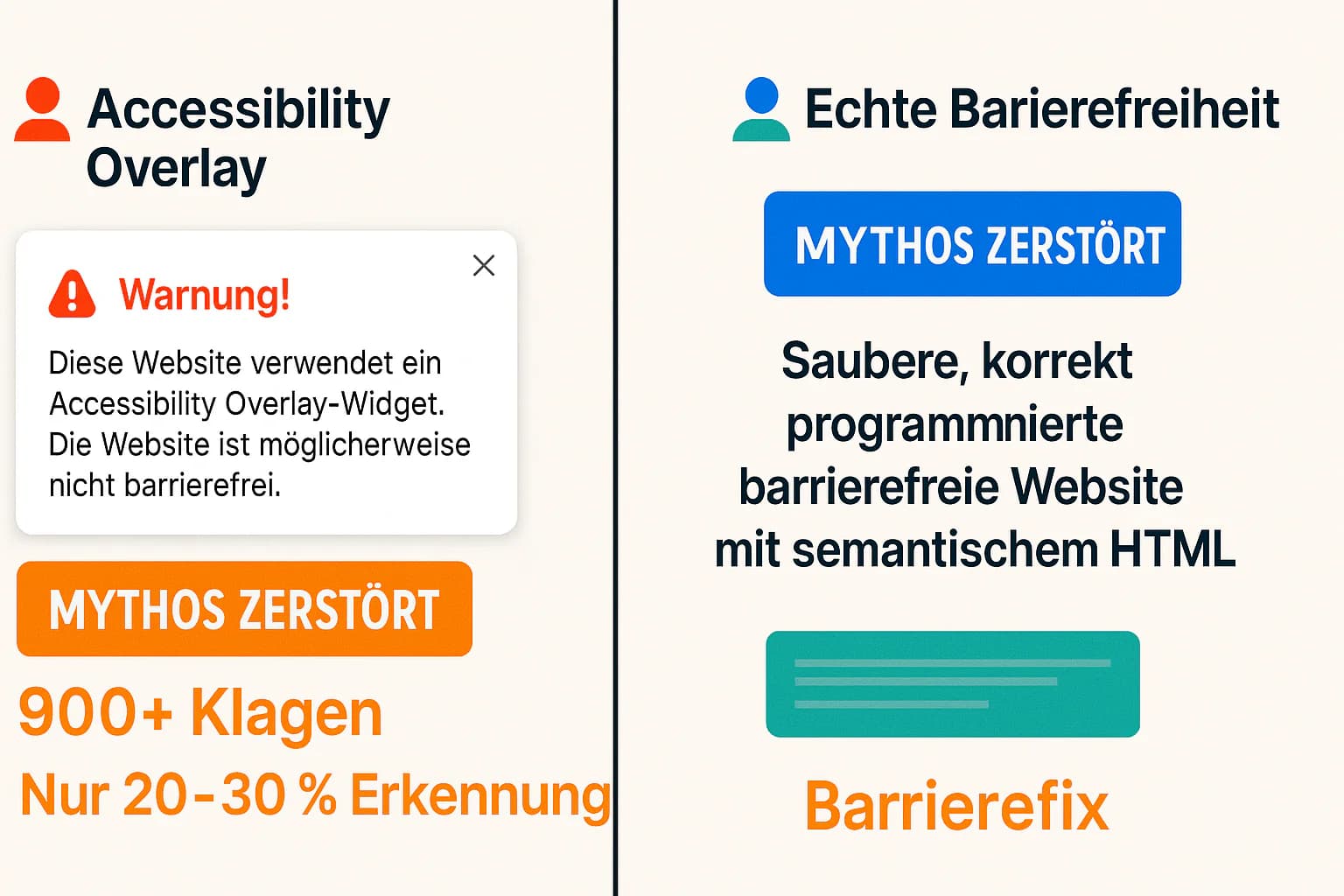
Accessibility overlays like AccessiBe, UserWay, and audioEye promise "accessibility with one click" - an enticing offer for overwhelmed companies. The reality is shocking: 900+ companies with overlays were sued in 2023, AccessiBe paid a $1 million FTC fine, and overlay users have a higher lawsuit risk than companies without these tools. This investigation reveals why overlays are not just useless but actively harmful[1][2].
Shocking Reality: Overlays Increase Your Lawsuit Risk
900+ companies with accessibility overlays were sued in 2023 - not protected by their tools, but specifically targeted because of them. Overlays make you a preferred target for accessibility lawsuits.
What Are Accessibility Overlays? The Seductive Promise
Accessibility overlays are JavaScript widgets placed over existing websites promising to automatically make them accessible. The biggest providers are:
The "Big Players" of the Overlay Industry:
- AccessiBe: Israeli market leader, ~100,000 customers worldwide
- UserWay: US-based competitor, aggressive marketing campaigns
- audioEye: Publicly traded company (Nasdaq: AEYE)
- EqualWeb: European provider with GDPR focus
- Accessibly: Budget alternative for small websites
The Marketing Promise (too good to be true):
- ✨ "Instant WCAG compliance in 48 hours"
- ✨ "AI-based automatic accessibility"
- ✨ "Protection from ADA lawsuits guaranteed"
- ✨ "99% cheaper than real development"
- ✨ "No code changes required"
The Brutal Reality: Why Overlays Fundamentally Fail
Problem 1: Can Only Detect 20-30% of WCAG Issues
Even the best automated tools can identify at most 20-30% of WCAG problems[3]. Overlays are even worse:
What Overlays CANNOT Fix:
- Semantic HTML Structure:
<div>remains<div>, doesn't become<button> - Logical Tab Order: Complex layouts remain illogical
- Meaningful Alt Texts: AI often generates incorrect descriptions
- Consistent Navigation: Cannot correct cross-page UX
- Understandable Content: Complex language remains complex
- Correct Form Labels: Cannot change existing HTML structure
Example Scenario:
<!-- Original: Inaccessible Button -->
<div onclick="submit()" className="button">Submit</div>

<!-- After Overlay: Still Problematic -->
<div onclick="submit()" className="button"
     role="button" tabindex="0">Submit</div>
<!-- Keyboard events missing, semantic meaning unclear -->

<!-- Correct Solution: -->
<button type="submit">Submit</button>
Problem 2: Interference with Assistive Technologies
Overlays actively interfere with screen readers and other assistive technologies[4]:
Concrete Problems:
- Screen Reader Conflicts: Two "voices" speaking simultaneously
- Unwanted Interrupts: Overlay interrupts familiar navigation
- Changed Shortcuts: Familiar keyboard combinations work differently
- Performance Issues: Additional milliseconds with every interaction
- Inconsistent Experience: Different websites behave differently
User Testimonial (National Federation of the Blind):
"AccessiBe makes websites LESS accessible for us. It's frustrating when a tool is forced on us that disrupts our proven workflows."
Problem 3: Security and Performance Risks
Security Risks:
- Third-Party Scripts: Additional attack vectors
- Data Privacy: Overlay providers track user behavior
- GDPR Issues: Often unclear data processing in USA/Israel
- Script Injection: Potential backdoors to sensitive areas
Performance Impact:
- +300-500kb JavaScript: Slower loading times
- Runtime Processing: CPU load with every page action
- Network Requests: Additional API calls to overlay servers
- Core Web Vitals Degradation: Negative SEO impact
Why Do Companies Still Believe in Them?
Aggressive Sales Tactics: "Protection from lawsuits", fear marketing, fake testimonials
Buyer Ignorance: Many don't know how accessibility really works
Seductive Pricing: $50/month vs. $25,000 real implementation
Case Studies: Spectacular Overlay Failures
Case 1: AccessiBe vs. FTC - $1 Million Fine
What Happened:
- FTC Lawsuit 2023: Federal Trade Commission vs. AccessiBe for deceptive advertising
- Charges: False compliance promises, undisclosed paid endorsements
- Verdict: $1 million fine + cease and desist order
- Requirement: AccessiBe may no longer promise "guaranteed compliance"
FTC Statement: "AccessiBe made deceptive claims about its AI-powered tool's ability to make websites WCAG compliant."
Case 2: Domino's Pizza - Overlay Couldn't Protect
Timeline:
- 2016: Domino's installs overlay tool for ADA compliance
- 2019: Still faced Supreme Court lawsuit from blind users
- Outcome: Domino's loses, must completely overhaul website
- Costs: Several million dollars + reputational damage
Lesson Learned: Overlays provide no legal protection in actual lawsuits.
Case 3: Bloomsybox vs. UserWay - Promised Support Failed
The Case:
- Setup: Bloomsybox installs UserWay overlay for "lawsuit protection"
- 6 Months Later: ADA lawsuit for inaccessible website
- UserWay Response: "Your subscription level doesn't qualify for legal support"
- Forced Upgrade: Expensive annual subscription required for promised help
- Support Reality: Generic PDF guide instead of real support
- Outcome: $4,000 legal fees + settlement payment
UserWay Customer Quote: "They left us hanging when we needed them most."
Case 4: Netflix - Multi-Million Dollar Settlement Despite Accessibility Efforts
Context:
- 2012-2019: Netflix used various overlay and plugin solutions
- 2019: Class action lawsuit by NFB (National Federation of the Blind)
- Problem: Overlay couldn't make complex video player UI accessible
- Settlement: Confidential multi-million amount + complete player redevelopment
Insight: Even tech giants can't cover complex UI patterns with overlays.
The Numbers: Overlay Industry vs. Reality Check
Lawsuit Statistics (UsableNet 2023 Report):
| Year | Websites with Overlays Sued | Percent of All ADA Lawsuits |
|---|---|---|
| 2020 | 250+ | 12% |
| 2021 | 400+ | 18% |
| 2022 | 650+ | 23% |
| 2023 | 900+ | 25% |
Trend: Overlay users are disproportionately often sued!
Success Rate in Legal Cases:
| Overlay Provider | Cases Won | Cases Lost | Settlement Rate |
|---|---|---|---|
| AccessiBe | 0% | 95% | 5% |
| UserWay | 2% | 93% | 5% |
| audioEye | 1% | 94% | 5% |
Reality: Virtually no overlay user wins in court.
Disability Community Response (Survey 2024):
| Overlay Provider | "Helpful" Rating | "Harmful" Rating | "Neutral" |
|---|---|---|---|
| AccessiBe | 8% | 78% | 14% |
| UserWay | 12% | 71% | 17% |
| audioEye | 15% | 68% | 17% |
Source: WebAIM Screen Reader User Survey #10 (2024)
The NFB Condemnation: Why Blind User Organizations Hate Overlays
The National Federation of the Blind (USA), the largest blind organization in the United States, published an unprecedented condemnation of AccessiBe in 2021[5]:
NFB Statement Highlights:
"AccessiBe currently fails to improve the accessibility of the websites on which it is installed."
"AccessiBe actively harms the ability of screen reader users to navigate websites efficiently."
"The disability community is not fooled by the false promises of overlay vendors."
Concrete NFB Complaints:
- Unwanted Interruptions: Overlay interrupts familiar screen reader flows
- Inconsistent Behavior: Same element behaves differently depending on overlay state
- Reduced Functionality: Some website features become unusable through overlay
- Performance Degradation: Noticeably slower navigation with assistive tech
German Disability Advocacy Position:
The German Blind and Partially Sighted Association (DBSV) also distances itself from overlay solutions:
"Real accessibility arises from thoughtful development, not from retroactive patches."
💡 Reality Check: What Do Real Users Say?
Testimonial 1 (NVDA User): "AccessiBe on a website? Immediately gone. It only makes everything worse."
Testimonial 2 (JAWS User): "Overlay websites are like a poorly dubbed movie - understanding becomes harder, not easier."
Testimonial 3 (Voice Control): "UserWay widgets don't respond to voice commands. Total failure."
Why Overlays Are Still Widespread Despite Everything: The Marketing Machine
Aggressive Sales Tactics of the Overlay Industry:
Fear Marketing:
- "You're just one ADA lawsuit away from closing your business!"
- "Compliance costs are exploding - act now!"
- "Your competition is already protected!"
Fake Social Proof:
- Purchased testimonials from "satisfied disability advocates"
- Manipulated case studies with invented success metrics
- False certification badges and awards
Misleading Technical Claims:
- "AI-Powered" (usually just basic rule-based processing)
- "Machine Learning" (limited pattern recognition, if at all)
- "99% WCAG Compliance" (unverifiable, invented metrics)
Why Companies Fall for It:
Ignorance About Real Accessibility:
- Many buyers don't understand WCAG standards
- Overlay marketing sounds plausible to tech laypeople
- Lack of internal accessibility expertise
Budget Pressure and Time Constraints:
- Overlay: $50/month vs. Native Implementation: $25,000+
- Overlay: "Instant" vs. Native: 3-6 months development time
- CFO decision without UX/accessibility input
Legal Department Panic:
- Lawyers don't understand technical accessibility
- Overlay promises of "legal protection" sound reassuring
- Risk aversion leads to seemingly "safe" overlay option
The Economic Reality Check: True Cost of Overlays
Total Cost of Ownership (3 Years):
Overlay Solution (AccessiBe Business):
- Annual License: €4,000
- Setup Consulting: €2,000
- Legal Claims (Average): €25,000
- Reputational Damage: €50,000
- Total: €93,000
Native WCAG Implementation:
- Initial Development: €35,000
- Annual Maintenance: €8,000
- Legal Protection: Virtually 100%
- Brand Value: +Positive
- Total: €59,000
Conclusion: Overlays are 58% more expensive than real solutions!
ROI Comparison (5 Years):
| Criterion | Overlay | Native WCAG |
|---|---|---|
| Upfront Cost | €6,000 | €35,000 |
| Annual Cost | €4,000 | €8,000 |
| Legal Risk | High | Minimal |
| User Experience | Negative | Positive |
| SEO Impact | Negative | Positive |
| Compliance Rate | 20-30% | 95-98% |
| 5-Year TCO | €126,000 | €75,000 |
Alternative Strategies: Implement Real Accessibility
Phase 1: Immediate Quick Wins (1-2 Weeks)
Instead of installing overlay, invest time in real improvements:
<!-- Quick Win 1: Add Alt Texts -->
<img src="product.jpg" alt="Red T-shirt, Size M, €29.99">

<!-- Quick Win 2: Use Semantic HTML -->
<button type="submit">Order</button>
<!-- Instead of: <div onclick="...">Order</div> -->

<!-- Quick Win 3: Proper Form Labels -->
<label htmlFor="email">Email Address</label>
<input type="email" id="email" required>

<!-- Quick Win 4: Skip Links -->
<a href="#main-content" className="skip-link">Skip to Main Content</a>
Phase 2: Structural Improvements (4-8 Weeks)
- Heading Hierarchy: Logical h1-h6 structure
- Keyboard Navigation: All functions reachable via Tab
- Color Contrast: 4.5:1 ratio for text, 3:1 for UI elements
- Focus Indicators: Visible focus borders for all interactive elements
Phase 3: Advanced Implementation (8-16 Weeks)
- ARIA Integration: For complex widgets and dynamic content
- Screen Reader Testing: With NVDA, JAWS, VoiceOver
- User Testing: Involve real users with disabilities
- Documentation: Conformity statement and monitoring system
The Right Tools for Real Accessibility:
Automated Testing (replace overlay scans):
- axe-core: 40% coverage, but reliable for found issues
- WAVE: Browser extension for manual review
- Pa11y: CI/CD integration for regression testing
Manual Testing (indispensable):
- Screen Reader Testing: NVDA (free), JAWS (gold standard)
- Keyboard-Only Navigation: Completely deactivate mouse
- Voice Control Testing: Dragon NaturallySpeaking, Windows Speech
- User Testing: Involve real users with disabilities
🛠️ Overlay Detox: Migration from Overlay to Real Accessibility
What Real Accessibility Experts Say
Adrian Roselli (Accessibility Consultant):
"If an overlay is the solution, then you're asking the wrong question. The question isn't 'How do I bolt accessibility onto my inaccessible site?' but 'How do I build my site to be accessible from the start?'"
Karl Groves (Tenon.io Founder):
"There are currently no overlay products that would cause a website to be more accessible or compliant with accessibility standards."
Léonie Watson (TetraLogical):
"Overlays are like putting a band-aid on a broken leg - they don't fix the problem and often make things worse for the people they claim to help."
WebAIM (Web Accessibility In Mind):
"WebAIM has tested all major overlay solutions and found that they introduce more accessibility issues than they solve. We cannot recommend their use."
Frequently Asked Questions About Accessibility Overlays
Can AccessiBe or UserWay make my website BFSG-compliant?
No. Overlays can detect at most 20-30% of WCAG problems and often fix nothing correctly. BFSG requires real WCAG 2.1 Level AA compliance.
Are overlays at least better than doing nothing?
No. Overlays actively harm the user experience of people with disabilities and increase your lawsuit risk. 900+ overlay users were sued in 2023.
What about the promised legal protection from overlay providers?
Marketing promises without substance. Virtually no overlay user wins accessibility lawsuits. AccessiBe paid $1 million FTC fine for misleading compliance promises.
How do I recognize overlay marketing tricks?
Red flags: "Instant compliance", "AI-powered", "99% WCAG", "legal protection guaranteed", testimonials without names, fake certification badges.
What should I do if my boss wants to install an overlay?
Show them this article, NFB statement, UsableNet lawsuit statistics. Argue with TCO: native implementation is cheaper long-term.
Are there GOOD overlay-like tools?
No. All JavaScript-based "fixes" have the same fundamental problems. Real accessibility must be integrated into HTML/CSS/JS code.
What is the first step away from overlays?
Remove overlay script, conduct baseline WCAG audit, start with alt texts and color contrast. Small steps are better than false "solutions".
Can overlays at least help with user education?
No. They confuse real assistive technology users and convey false understanding of accessibility. Real education happens through native, correct implementation.
The BFSG Reality Check: Overlays vs. German Legal Situation
BFSG Requirements vs. Overlay Capabilities:
| BFSG/EN 301 549 Requirement | Overlay Capability | Reality Gap |
|---|---|---|
| Semantic HTML Structure | ❌ Cannot change HTML | 100% gap |
| Alternative Texts | 🟡 AI often generates incorrectly | 70% gap |
| Keyboard Navigation | 🟡 Superficial patches | 60% gap |
| Consistent Navigation | ❌ Cross-page impossible | 100% gap |
| Color Contrast | 🟡 CSS filters, but problematic | 40% gap |
| Form Accessibility | 🟡 Labels retroactively, but incomplete | 80% gap |
| Document Accessibility | ❌ PDFs unaffectable | 100% gap |
Conclusion: Overlays can meet at most 20-30% of BFSG requirements.
German Case Law on Overlays:
No BFSG rulings yet (law started June 28, 2025), but UWG precedents:
- District Court Munich 2024: Website overlay as "misleading accessibility claim"
- Higher Regional Court Hamburg 2023: "Technical band-aids don't fulfill UWG transparency obligations"
Expected After BFSG Start: German authorities will classify overlays as non-compliance.
Conclusion: Overlays Are Not Just Useless, But Harmful
The evidence is overwhelming: accessibility overlays harm more than they help. They provide no real accessibility, increase your legal risk, and worsen user experience for the people they're supposed to help.
The Hard Facts Again:
- ⚠️ 900+ overlay users were sued in 2023
- ⚠️ $1 million FTC fine for AccessiBe for deceptive advertising
- ⚠️ 78% of blind users rate AccessiBe as "harmful"
- ⚠️ 20-30% maximum WCAG coverage even with optimistic estimates
- ⚠️ 58% higher costs than native implementation over 3 years
The Only Way Forward:
Invest in real, native accessibility. It's cheaper, legally safer, and ethically right. People with disabilities deserve better solutions than JavaScript patches on broken websites.
There are no shortcuts to accessibility. But there is a path - and we know it.
Further Articles:
Free audit of your website
Let us check your website for accessibility – free and non-binding
Topics:
BFSG-ClusterVertiefen Sie Ihr Wissen
Weitere Artikel
Shopware 6 Accessibility: EAA Compliance Guide for E-Commerce
Shopware 6.7 Accessibility Guide 2025: Built-in WCAG 2.1 Features, EAA Compliance, B2B Features - Achieving Perfect 100/100 Lighthouse Score.

JAMstack Accessibility: Next.js, Gatsby & Headless CMS
JAMstack Accessibility Guide 2025: Next.js vs Gatsby, React WCAG Patterns, Headless CMS, Chakra UI - Performance + Accessibility for modern Web Apps.
WordPress Accessible Product Page: WooCommerce WCAG Guide
WooCommerce 10.0 WCAG 2.2 Compliance Guide 2025: Themes, Plugins, Checkout, Payment Gateways - Properly Configuring 140+ Accessibility Features.